Group trip planner
Trips
One shared planner for a group trip: who paid for what, who's bringing what, who's driving and when everyone gets there.
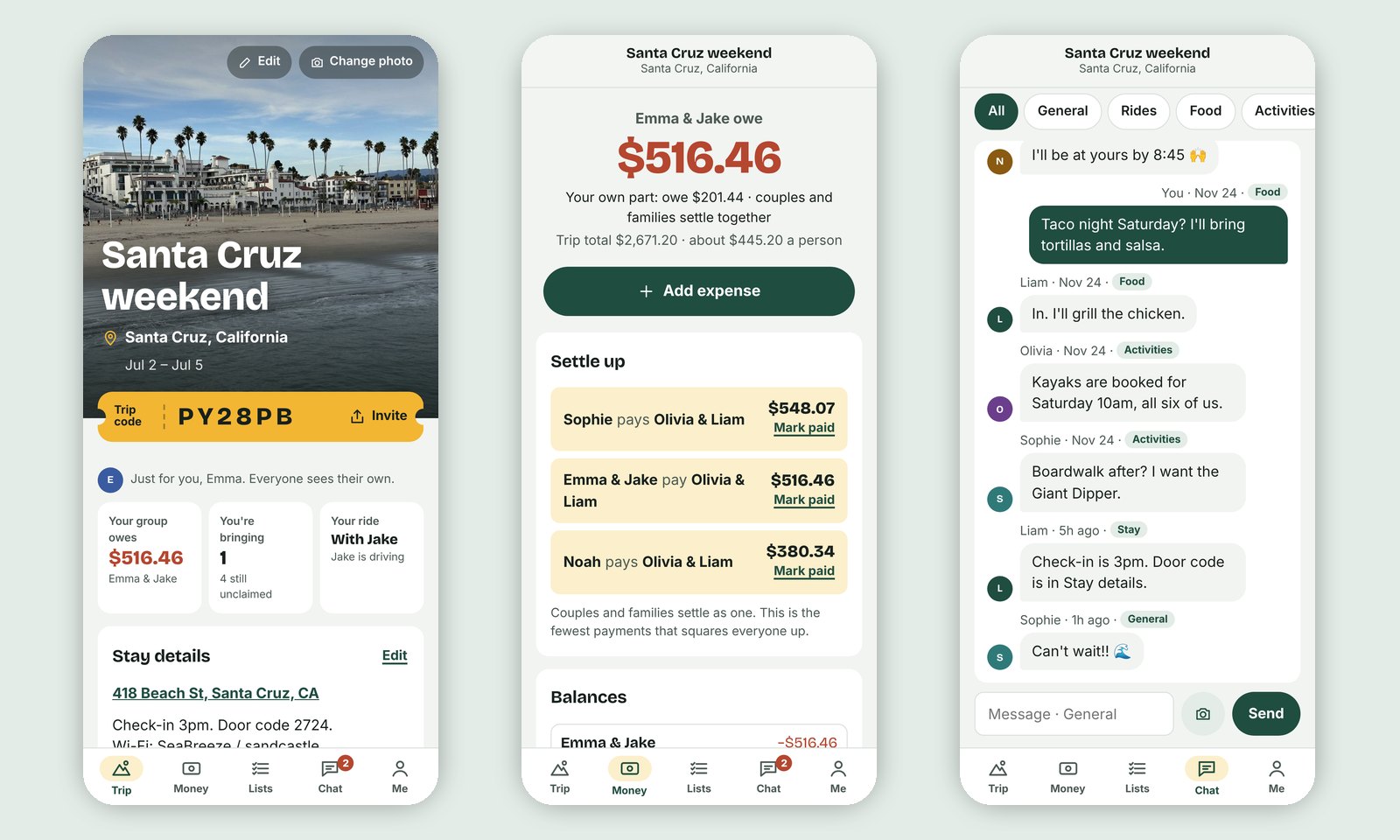
a look inside
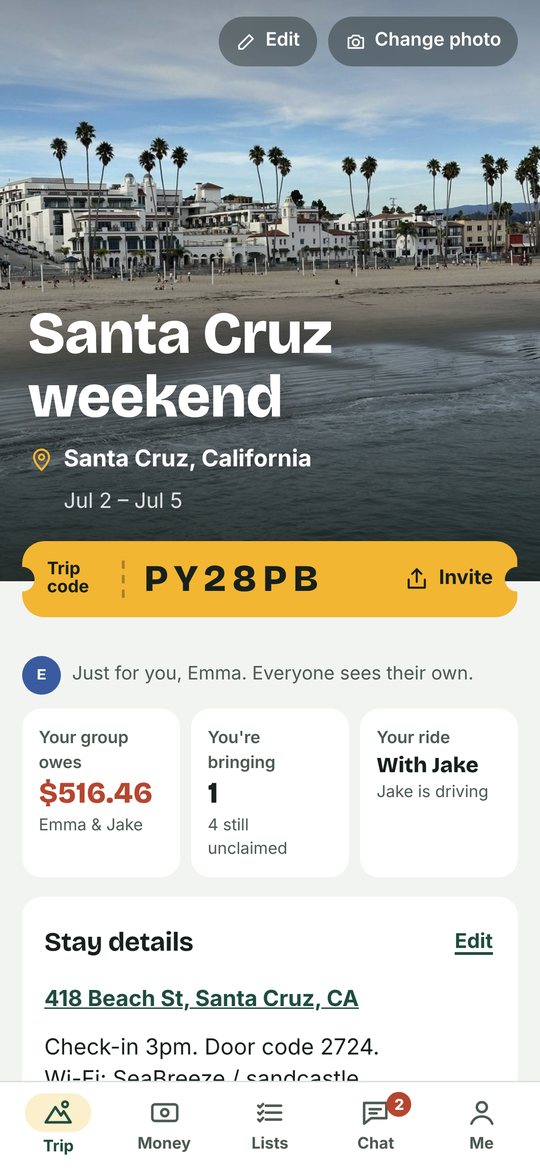
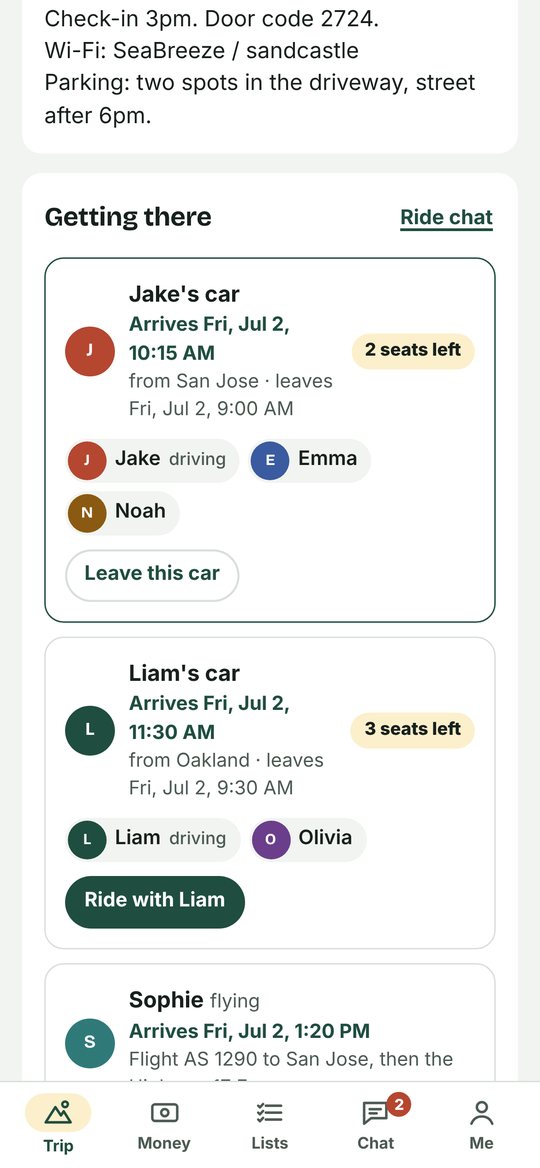
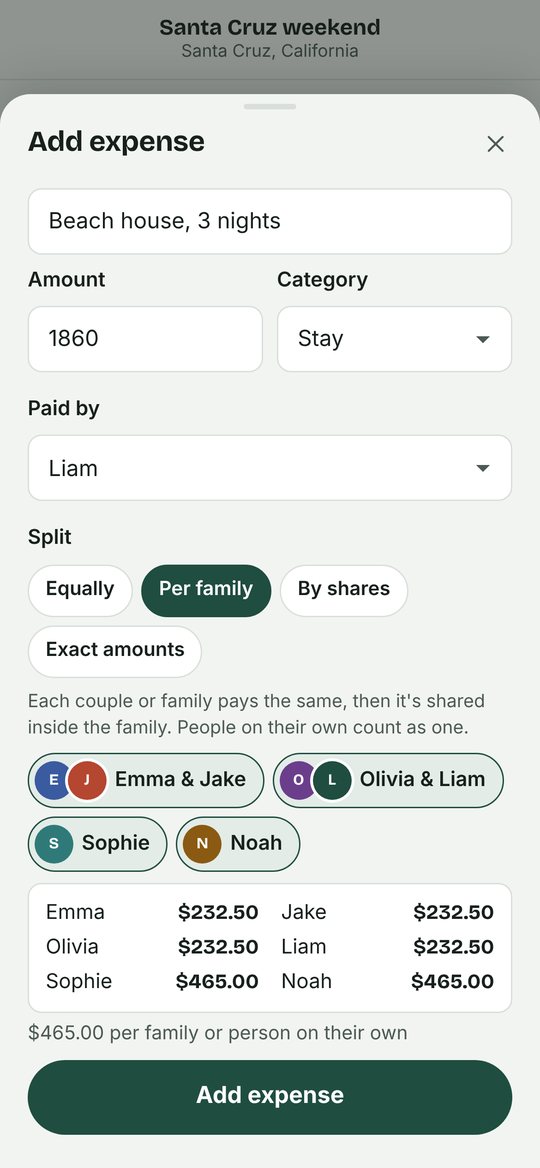
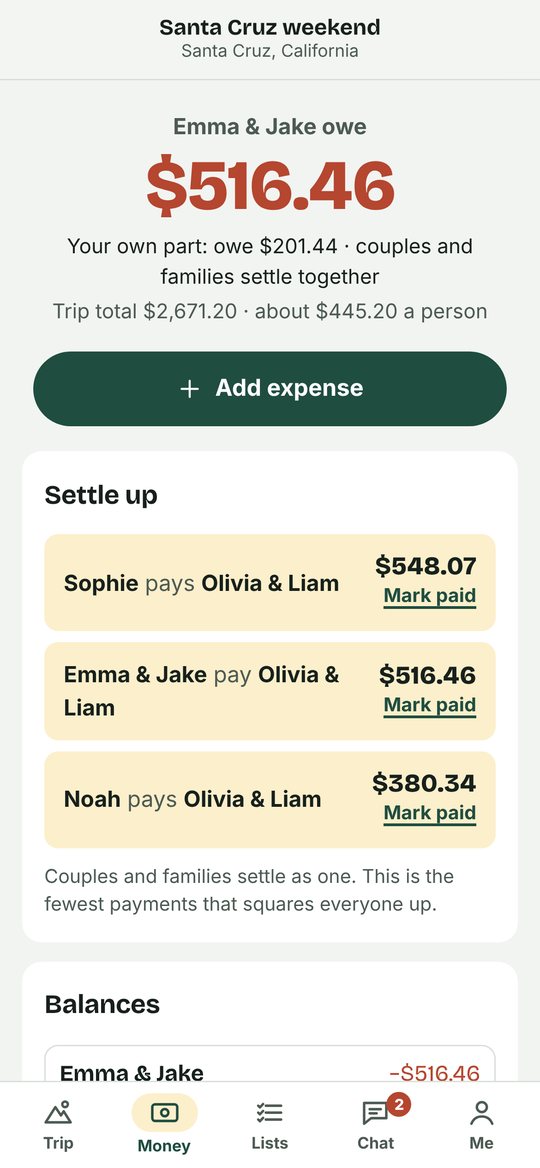
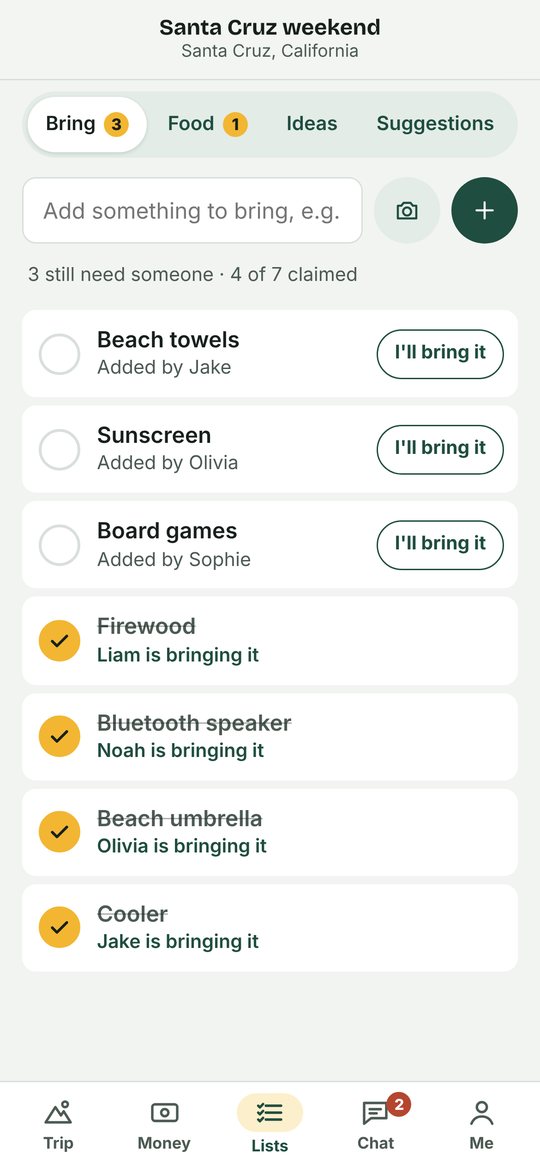
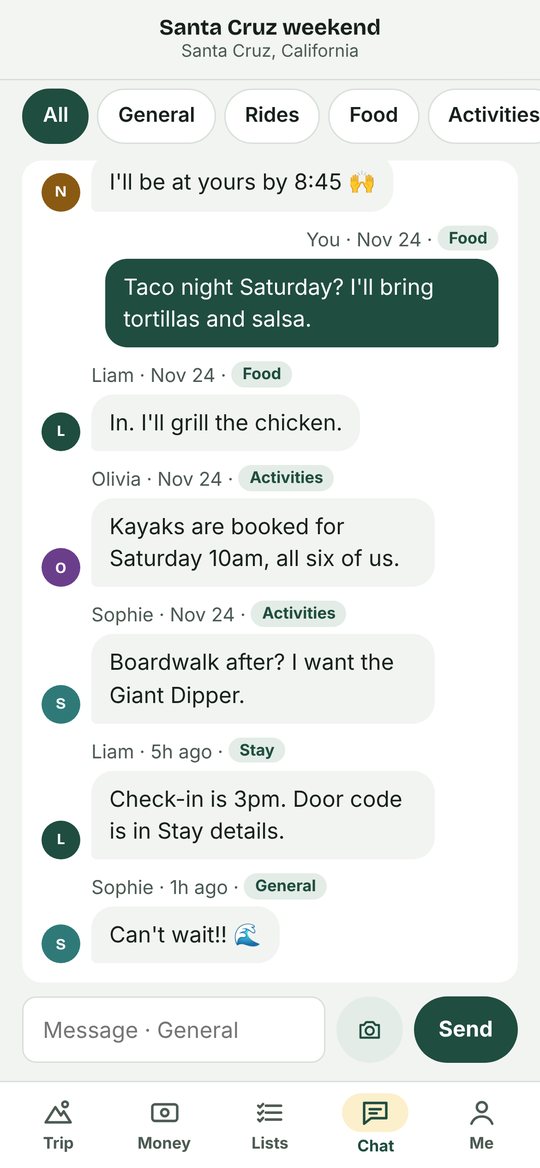
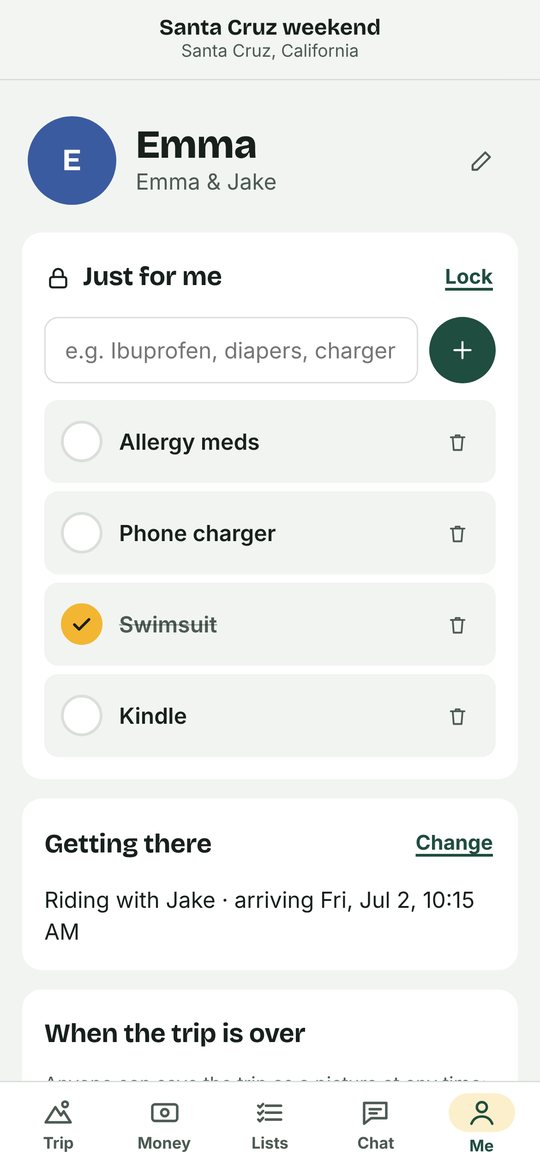
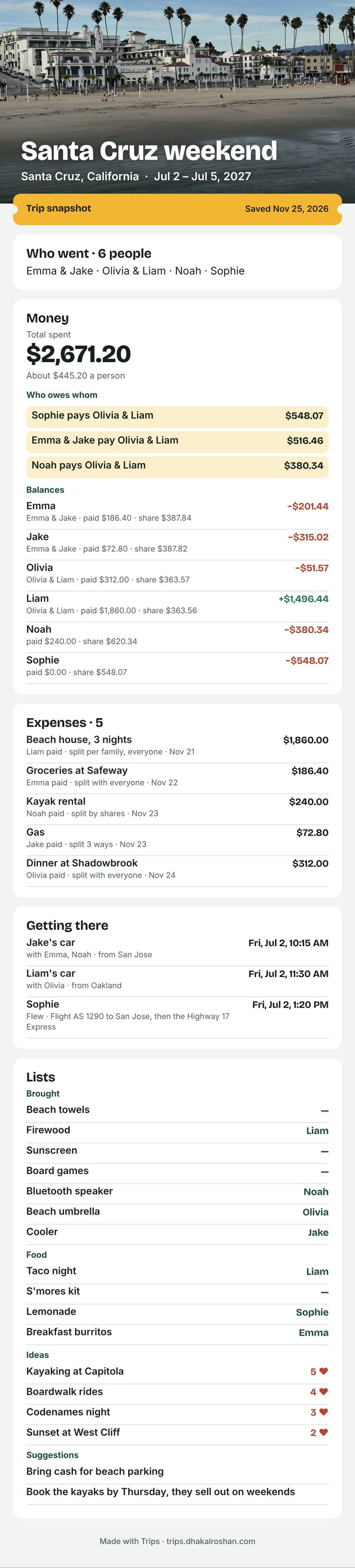
Sample trip with made-up names.
put it on your home screen
Trips works in any phone browser, but it's nicer as an app: it opens full screen from its own icon, and on iPhone that's also how notifications work. It takes about a minute, and there's nothing to download from an app store.
iPhone, in Safari
 Tap ≡ at the left of the address bar
 Tap Share
 Scroll down and tap Add to Home Screen
 Keep Open as Web App on, then tap Add
 Open Trips from your Home Screen
On iOS 26, tap ••• at the right of the address bar instead of ≡. If Safari shows a Share button in its toolbar (the Bottom or Top layout, or iOS 18 and earlier), tap that, then Add to Home Screen. Notifications need iOS 16.4 or later.
Android, in Chrome
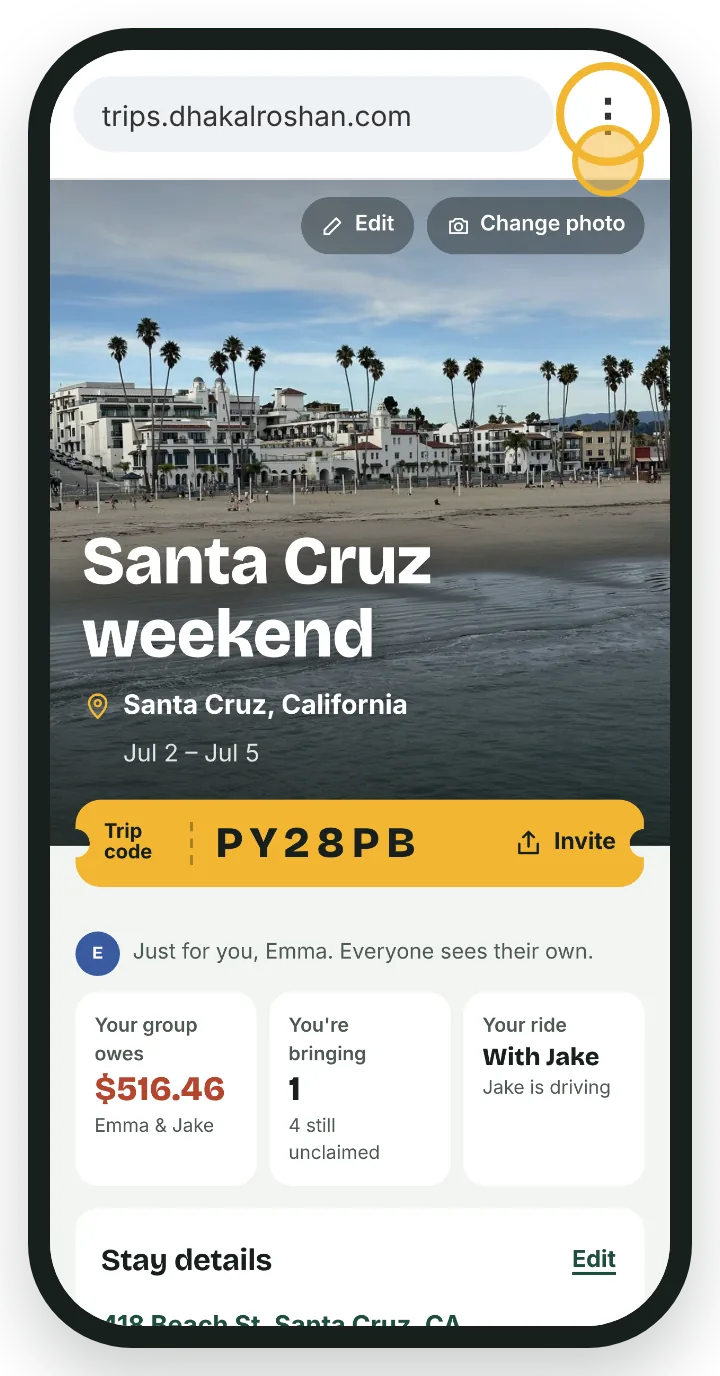 Tap ⋮ at the top right of Chrome
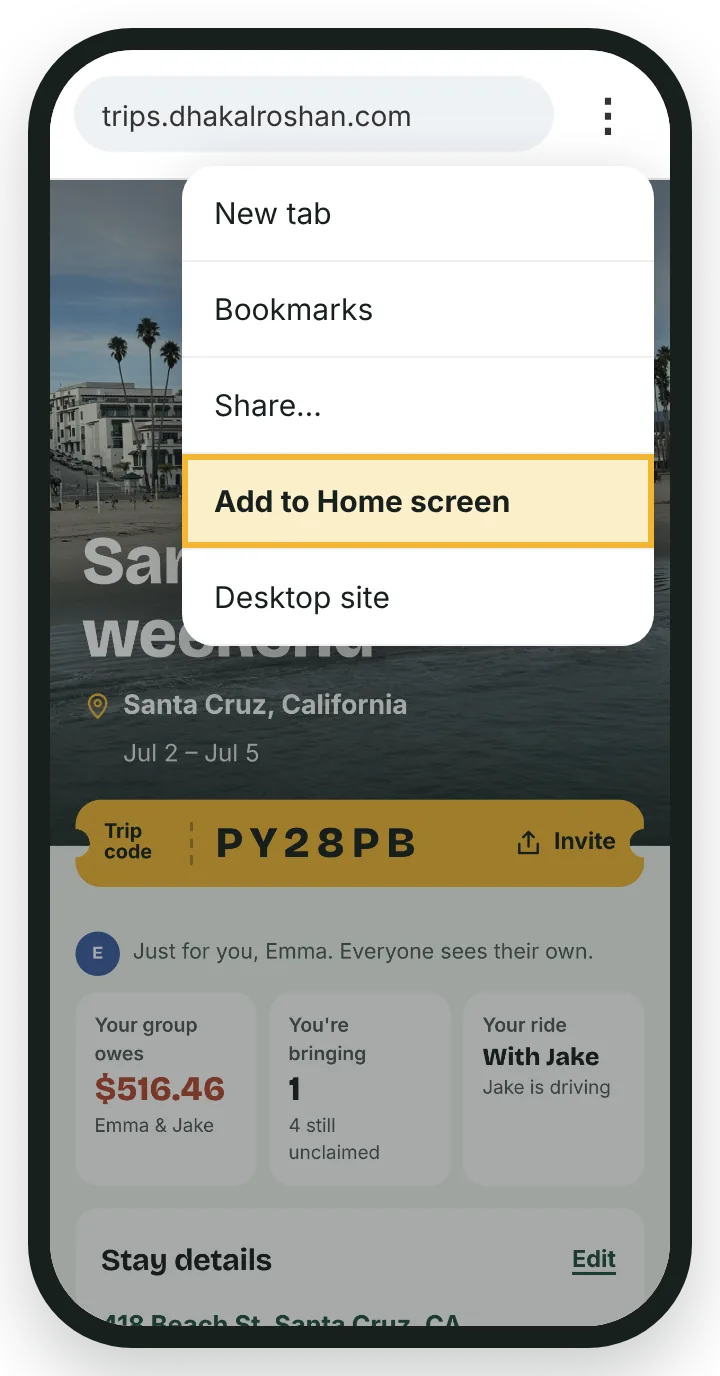 Tap Add to Home screen (or Install app)
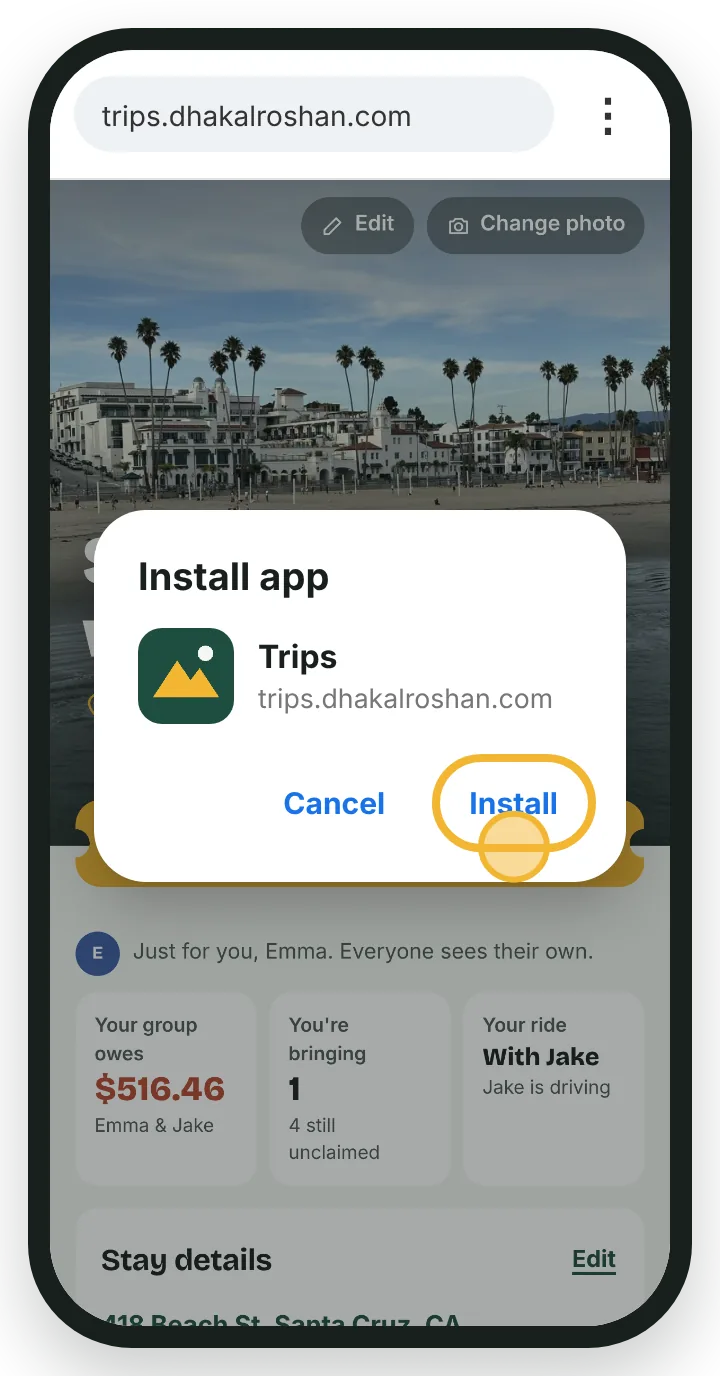 Tap Install
Samsung Internet: tap ☰, then Add page to, then Home screen. On a computer, Chrome and Edge show an install button at the right of the address bar.
The app on your Home Screen keeps its own sign-in, so you'll enter the trip code and your PIN once more the first time you open it.
what it does
- One person starts a trip and gets a 6-character trip code to share; everyone joins with their name and a PIN
- Expenses with live balances: scan a receipt or upload a PDF and it reads the store and total, or type it in
- Split equally, per family, by shares (nights stayed, kids as half) or by exact amounts, and see who owes whom; couples and families settle as one
- Bring and food lists where claiming an item puts your name on it and ticks it off for everyone
- Ideas and suggestions the group can vote on
- Getting there in one list: each car with its open seats, riders and arrival time, plus who's flying in and when
- A group chat sorted by topic: rides, food, activities, games, the stay
- A private packing list for each person, locked with their own PIN
- When the trip is over, everyone can save it as a picture with the money and who owes whom. From the day after the trip, anyone can ask the group to delete it; it's deleted a week later unless someone raises a concern
Built for a trip with friends. It works in a phone browser, or put it on your Home Screen to use it like an app.
Live at trips.dhakalroshan.com